How To Photograph Waterfalls and River Rapids


Shoshone Falls - Twin Falls, Idaho

How to photograph any waterfalls like the professional photographers do? I'm going to tell you this secrets in step by step so that you could get the picture you have been dreaming of ever since you got your camera.

There are exactly  two ways to photograph any waterfalls. The 'Easy Way' and the 'Artistic Way'. Well, the so called 'Easy Way' also involve a lot of your artistic talents but it just require a little bit of less effort than the other way.

Lets do the easy way first before we learn the more complex one. This is for everyone with a camera. I know, you can just walk into a fall, frame it, and press the shutter release button. Now you look at the picture on that tiny display and you are not quite satisfied. So here comes a little bit of artistic talent. Before you rush to the fall to click that selfie, lets walk around and study the magnificent waterfalls from your eyes while your camera or the phone camera still stay in the bag. While you walk, look for the best possible view with least amount of obstruction. Yes, waterfalls are tourist attraction. You will find lots of photographers walking around with their own cameras. You don't want all of them in your frame, unless they are adding value to your picture. Also make sure the light is not too harsh, usually early morning or late evening are the best time unless the falls is in shed.

Once you find your spot, with a clear view of the fall, compose your frame keeping the waterfall as your primary focal point. Keep the shutter speed above 1/125, aperture between f8-f11 and ISO in auto. I would prefer matrix or center weighted metering, but if you are not sure bracket your exposure for 3(1EV) or 5(0.5EV) shots depending on light condition. Now press the shutter release for your test shots and review your pictures, recompose & retake after adjusting exposure until your are satisfied. 

I took several shots of this falls in Easy Way, liked this one best.


Now let's do the other way where you need to spend considerable time planning for your shots. I will start with the list of gadgets you would need.

Gadget List:

  1. A camera with manual control
  2. Wide angel lens, a 24-70mm zoom works best.
  3. Sturdy tripod with ball head
  4. L-bracket for your camera ( easy to change orientation from landscapes to portrait )
  5. ND Filter ( nd4 - nd32), Circular Polarizer filter
  6. Electronic Cable Release
  7. Rain Cover for Camera & Lens
Once you have the gear ( First 3 are mandatory, rest are optional ), you need to research about the falls you want to photograph. This research is like the walk around the falls I suggested previously. You would be taking a long exposure shot. So you definitely need to find a spot where you won't be bothered in the middle of your shot. Trust me, there is always that one person who loves walking in front of your camera while your shot is in progress. Check out the following list.
  • Best time of the day when the fall is evenly illuminated 
  • Best viewing spot for the fall
  • Some space near best viewing spot where you can setup your tripod, make sure no one can walk in front of it.
  • Wind direction / mist from the waterfall. If you are getting mist, you need to put your camera inside the rain gear. 

Setting Up for the Shot:

  1. Arrive early to your previously researched spot and start preparing for the shot.
  2. Setup your tripod. Make sure all 3 legs are on firm support. Then level the tripod. Most tripod comes with bubble leveler that you can use.
  3. Attach electronic cable release into the camera. You will release the shutter remotely to avoid vibration.
  4. If the place has mist from the fall, put the camera inside the rain gear and then attach to the tripod head. Adjust the tripod head to level the camera as again.
  5. Compose your images the way you want it. Every photographers wants it in their own way. So you got to decide what you want in the frame and what must  be excluded. Anything that cause destruction should be excluded which anything that add values can be included.
  6.  If you can shoot the whole fall, make sure there are more room in the bottom where the water crashes. Usually there is not much interest at the top unless you can show the trail of water source.
  7. Set your camera in Aperture priority and set the F number between f8-f11 depending on the light. Set the ISO to the camera native ISO ( usually it is 64 or 100). Now take few test shot with this setup. Recompose your frame until you get exactly what you are looking for. Remember, you can crop latter to exclude unwanted subjects, but you can't get something back in your frame if you exclude it while shooting.
  8. Now we are going to full manual mode. Turn the auto focus off once you locked the focus from previous step. Also, turn the exposure mode to manual as well. Set the shutter speed to 2 secs, ISO to native and Aperture to f11. Now, press the shutter release button half and verify if the exposure is correct. Your camera should indicate if you are over/under/rightly exposing the frame. If you are overexposing by maximum 1 stop, attach the circular polarizer. You can adjust the polarizer to neutralize reflection from shiny objects. Attach the ND filter ( start with ND4 and go higher if needed) if you are still overexposing. If water speed is very fast, you may reduce shutter speed to 1 sec.
  9. Take your first shot when camera meter says your exposure is right. Now review the image you just shot, make sure you are not over exposing any part. The best way to check this is to look at the histogram and make sure no clipping tower. A slightly underexpose image can be recovered in post processing, but overexpose image is very hard to recover if not impossible.
  10. Adjust the ISO / Aperture / ND filter to get the correct exposure. You can't reduce shutter speed lesser than 1 secs as you won't get the silky smooth finish that gives the impression of motion in the water. 
  11. If you are underexposing, don't go more that 3 secs with the shutter speed.  Anything beyond 3 secs will give you an impression of spilled milk. So open the aperture or increase the ISO if you are already at max aperture.
Press the shutter release button in the remote and review your shots after each take. Adjust, recompose and retake if necessary. Never leave the place without reviewing your image. You don't want to go home and discover you had your lens cap on all the time. Sooner you discover any problem, faster you can solve it while you still have the opportunity to get the best shot.


Vernal Falls at Yosemite, shot from Mist Trail.


River Rapids:

While photographing river rapids, the techniques are similar except the composition part. You already know how you can get a silky smooth flow pattern for  the water. However, the merit of your image will depend on what else you keep around the water. This is where your artistic mind play a BIG role. There is no law or guidelines for this. Compose the way your eyes want to see it and good luck.

Don't hesitate to go down near the water, as long as you can do it safely to get the best perspectives for your shot. Try different angles and then keep the best one.

Merced River, Yosemite National Park


More images of Waterfalls and River Rapids are available in my Fine Art America Pixels Store  where you can order a print if you would like to.

Photographing Alaska Brown Bears

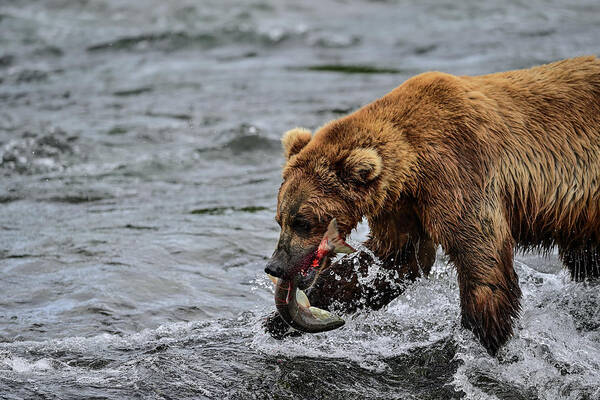
Alaska Brown Bear Fishing at Brooks Falls

Brown Bear or Grizzly is one of the top most predator in the wild and Alaska is one of their homes.  They live mostly in the coastal regions of southern Alaska. 

There are many places to photograph these Grizzlies. However, if you talk about getting them in action, Brooks Falls is the only place that comes in my mind. And there is a small window of time in each year when you get them. The bears come to the falls when the annual salmon runs in it's peak. That's obviously in the month of July.  By the end of July, the bears would be gone. They do return in smaller numbers in September for the leftover near dead salmons still floating around the river. 

How to Get There: 

Brooks Falls is remote, at the heart of Katmai National Park. There are options to stay in Brooks Lodge or Brooks Camps, both located closed to the falls. You need to be really lucky to get a spot in either of those places, usually sold out two years ahead of time. You can't stay in the park if you don't have a reservation in the lodge or campsite.

The other options are staying in Anchorage or King Salmon and take Day Trip in Float Plane. This obviously rules out that golden hour photographer's fantasy but trust me, you won't miss much. The weather is often overcast in this area, so the light would still be good enough, if not the best. King Salmon ( it's a city, not the fish ) is very close to the Brooks Falls, just outside Katmai National Park but there are limited number of hotels and they do get sold out. Besides, making the base in Anchorage would be more economical and convenient as well.


My Trip Details:

I've been planning to photograph the bears since 2016. I started to gather information in bits or pieces from whatever sources I could. Sure the internet is our best friend in this information age. But I needed to find some reliable information while I also worked on the right gears I would need for this photoshoot. It was only recently during my interaction with Brooks Lodge reservation office I came to know that the bear population in Brooks Falls is highest in July, especially in mid-July. 
I live in San Francisco Bay area which has 3 main airports i.e. San Francisco, Oakland, and San Jose.  But only Alaska Airline flies directly to Anchorage from San Francisco.  I wanted a direct flight and that was my only option. Unfortunately, there was no direct return, I had to change in Seattle.
For camera gear, I needed something that can shoot fast action. I needed a camera with high fps rate and fast glass. So I paired my Nikon D6 with Nikon 400mm F/2.8E as my primary gear. For the back up, I paired Nikon D850 with Nikon 200-500 f/5.6E. I also put a 3rd lens i.e. Nikon 24-70mm f/2.8E in my bag. This was for the aerial photography of Alaskan Landscape while flying from Anchorage to Brooks Falls. I did carry extra batteries & memory cards, a tripod with gimbal head, and a lens pen.
Rust Flying Service,  my float plane operator picked me up from hotel at 8:30am. It was a short drive to their port. We checked in and then watched their crew getting the planes ready for the trip. You have to weigh you bags and yourself as a part of their check-in process. Soon we were on board and flying south along the coast.


Anchorage Landscapes - Knik Arm

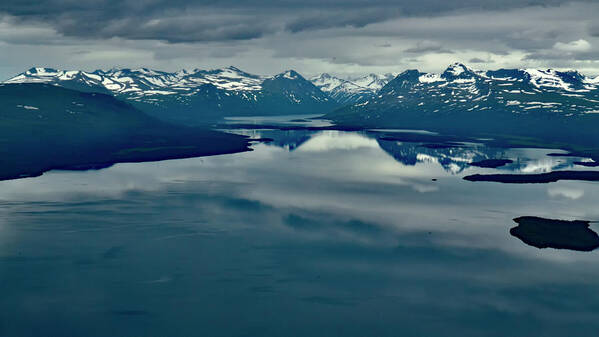
The flight duration is approximately 1 hour 45 minutes but your adventure with camera would start as soon as you are off the ground. This is a small plane flying low approximately at 5000'. So you get to photograph all those amazing landscapes and glaciers. So use a wide angle lens and keep fast shutter speed to avoid monition blur. Also it may be a good idea to use auto exposure bracketing feature of your camera.  I used manual exposure (1/500, f8) with auto ISO and 3 stop bracketing ( 0, -1, + 1 EV). 


Iliamna lake

The plane will land at Naknek Lake near the Brooks Lodge and everyone is required to attend 15 minutes ranger's talk.  You got to store your food in the Food Storage room and can only eat in a designated area where you would be attending the ranger's talk. It's all about safety protocol, as there are bears almost everywhere in the park.  I suggest you eat your lunch after the Ranger's Talk and before you head toward the Falls. I took out my main camera and mounted on the tripod before starting my hike towards the falls. The fall is about 2 miles from the lodge. First you cross the river which is now free of Bear Jam ( The Park service got wiser ). There would be lot of things happening around the bridge.


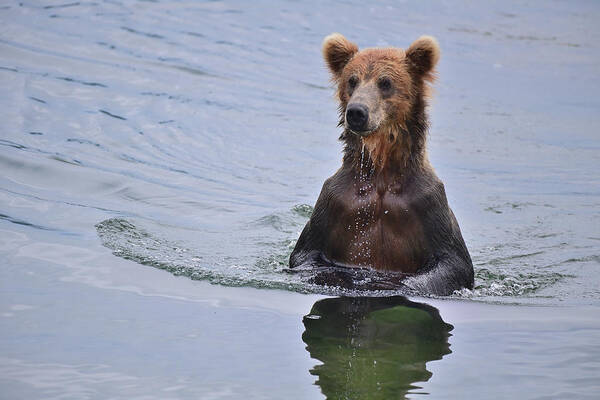
Bear at Brooks River - Shot near the Bridge

There would be Rangers on the boardwalk near the falls. In July, the crowd is bigger and so they limit viewing time to 30 minutes per person on the main viewing platform. You got to put your name in the list and head towards the secondary platform on the right side.  The ranger will find you when your turn comes, as long as you are in the secondary platform. However, if you leave the boardwalk and miss your turn, you will have to start over again.
The secondary platform is also fantastic if you have long lens. You can see the falls and there are plenty of bears fishing down the river as well. 


The Grizzly Devouring the Salmon Near Brooks Fall, Secondary Viewing Platform

It was an amazing view as I took my first glance at the falls from the secondary viewing platform.  I've never seen so many bears in action at once.  There is one little caveat for photographers i.e. the tripod legs can't be spread due to space limitation, so a monopod is more suitable on the viewing platform. So I had to  use my tripod as monopod only while shooting from the platform. 
As I was busy looking around all those grizzlies in the river, a beautiful lady whisper in my ear, 'there is a momma grizzly sleeping with her two cubs under the platform'. I wouldn't miss that for anything else. But they were closer that the minimum focusing distance of either of my telephoto lens. I was really lazy to change my camera lens at that moment. So I shot this photo with my iPhone.


Momma Grizzly & Her Two Cubs - Just Woke up from a Nap

 As I shifted my attention to the river, I found this Grizzly had just caught this huge salmon and then rushed to safeguard it from the seagull.

Seagull often tries to steal a bite or two from the bear


Never noticed how the time flew as I heard the Ranger calling my name. Then it was my turn to see them up & close from the main viewing platform. However, it was not easy to find a spot appropriate for shooting photo with a large camera. Everyone is busy shooting selfie with their cellphones. There were people pushing around for a selfie spot. I surveyed the platform and narrowed down to a spot where I wanted to be. I then lined up behind those who were already occupying that area. After several minutes, I got a spot next to my targeted spot. I then traded my spot with the person who was at my targeted spot. He was really nice when he saw my huge camera gears.
There were many  bears below the falls but only few at the top of it. Those are prime spot and only big bears get to fish from those spot. Yes, they do have rules or they have to fight to fish from prime spots.


Two for Two

Sometime it does not go as planned for the Bears too. As the fish leaped, the grizzly opened his jaws to catch it in mid-air but he missed. The hit was straight onto his snout. I guess it was a big ouch!! but the fish lived for a bit longer I guess.

A Bear getting hit on nose my a Salmon

 This is an amazing scene where the fish flies straight into the jaws of one bear while the other one is sad and salivating.

Look at the other bear - he is sad and salivating

A mother's love never gets old. The almost adult cub rush to her as soon as she caught the fish. Momma Bear let the cub bite from it while she held it firmly in her claws.

Momma and Cub

Before I knew it, my time was up at the platform. But I was satisfied with whatever I got. I happily left my spot as soon as the Ranger called.  I headed towards Lake Brooks which was about another mile on the right. There was no bears in the lake, but it's a beautiful lake anyway. I saw few houses around the lake. The park service employees live there. They have 'keep quit' board.

Lake Brooks

It was time to return and report to the pilot. I stopped on the bridge to take a closer look at what was under water. There were fish everywhere. 

Fish Swimming in Brooks River

Then it was time to head back to Anchorage. Our pilot flew the plane really low and narrated every glaciers we crossed. We also saw several Beluga Whales flipping their back on the ocean surface.

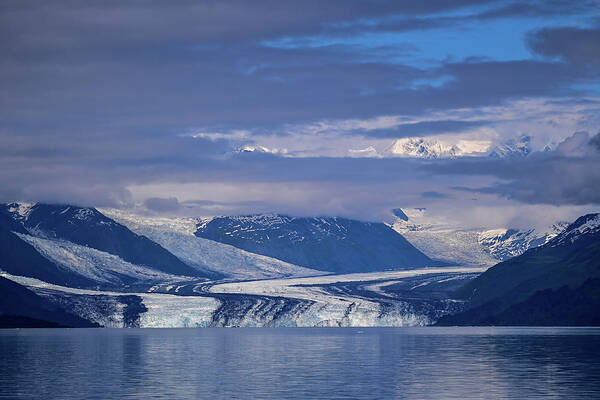
The next day I went to see glaciers at Whittier and here is a photo of the biggest glacier at 'Prince Willian Sound'

The Harvard Glacier - College Fjord


The whole Alaska photo collection is available here: Alaska Photo 2021

Promotion: 

  • Framed art prints All of these photos are offered for print from my store at Fine Art America 
  • Every purchase comes with a 30-day money-back guarantee. 

    • The 'Fine Art America' watermark will not appear in the final print. 
    • The pricing has two component that include 'Base Price' and 'Markup or Artist's Commission'
    • Base price is charged by 'Fine Art America', it includes printing & handling cost. They do offer discount on that from time to time, specially near holiday season. I've no control over base price.
    • The 'Markup' is my commission and I've full control over it. As a token to my reader, you can use coupon code 'PELXJY' at checkout for 25% discount on my markup.
    • If you enjoyed my blog, please subscribe and share.

    Exploring The Grand Canyon of Arizona

    The Grand Canyon of Arizona, one of the natural wonder on planet earth, offers an unique challenge to hikers. While visitors can get a glimpse of it's beauty from the rims, many wish to go down the trail and negotiate the steep canyon edges to see how The Colorado flows through the heart of the Canyon.
    Amid the COVID-19 pandemic, I teamed up with some of my hiking buddies to stay 2 nights at Bright Angel Camp and another 2 nights at Indian Garden. The weather is extreme during Winter & Summer, so we decided to go down there in March to avoid both cold and heat.
    While all of my hiking buddies were experienced hikers. Their mission was to hike, camp and enjoy the nature. I had one additional in my mind, i.e. the photographing the canyon from deep inside. So when I showed up with my heavy DSLR, tripod and other photography gadgets in my backpack, they were concerned if I would be able to carry that much of extra load. Some even offered help to carry few of my items.  I felt lucky to have such friend, but I assured them that I was ready for it.

    Day One: Bright Angel Lodge, South RIM

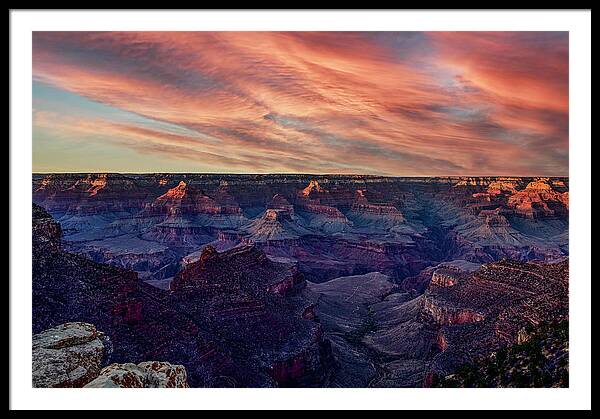
    I visited South Rim several times before but I always missed sunset view due to storm. However, this time the west sky was clear and the opportunity to photograph the sunset over the canyon popped up.

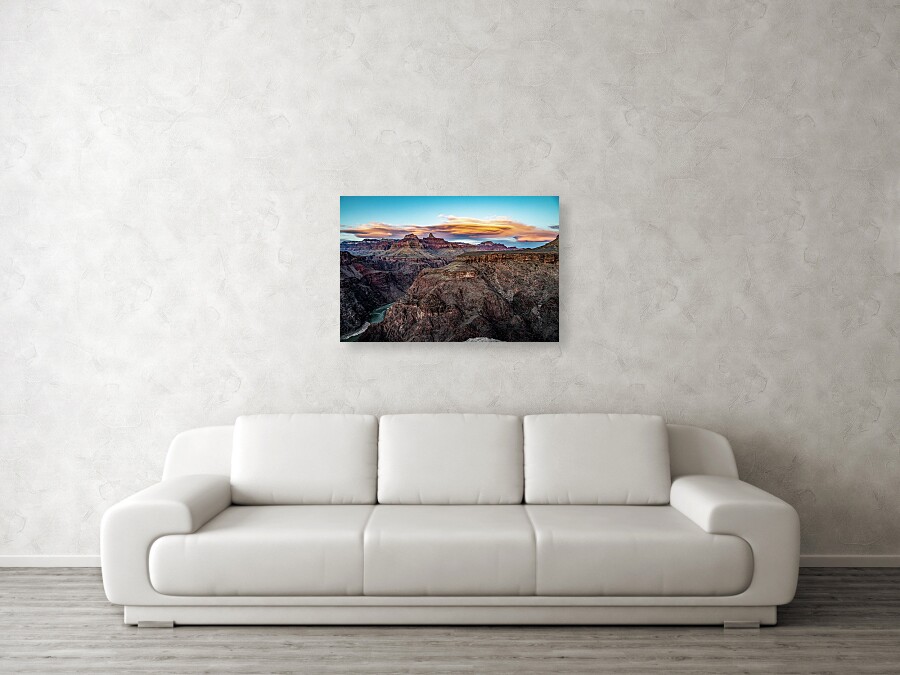
    Golden Evening Lights over the Canyon Edges

    The sunset view can be mesmerizing, especially when combined with cloud. You can purchase a print of this photo here. This was shot from Rim Trail, just outside Bright Angel Lodge. The Camera was mounted on a tripod and exposure metering was set to matrix with auto exposure bracketing for 5 shots at 0.7 EV each. The photos was latter processed & merged in Lightroom to balance the exposure in foreground & the sky.

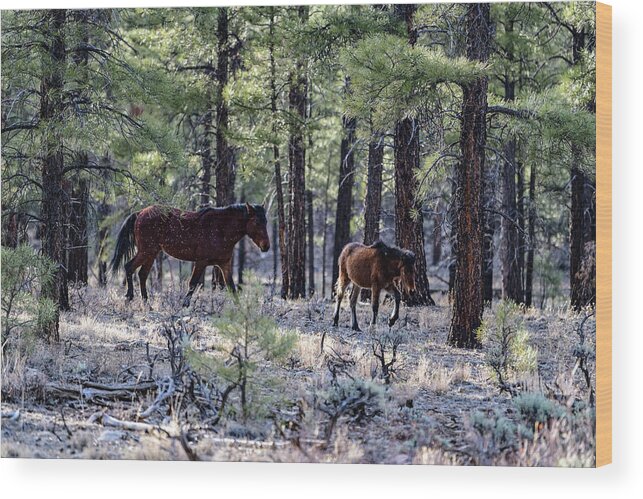
    Wild Horses near South Rim Entrance

    Grand Canyon is not known for many wildlife. I've heard about Mountain Goat, Mule Deer and Squirrel. I did not have any opportunity to photograph Mountain Goats before, so was carrying my 70-200 f2.8 lens, the lightest one that can be used for wildlife photography.  We spotted these two magnificent animals just  few miles inside after the south rim entrance. I had to change lens to get an appropriate shot. While I was busy in getting out the 70-200mm from my bag, my hiking buddies were already photographing them with their cellphone camera. By the time I was ready, the horses already  veered off deep inside the forest. After several shots showing their back, I finally got this one when they decided to change direction. You can buy a print of this here: Wild Horses at Grand Canyon.

    Day Two: To Phantom Ranch via South Kaibab Trail


    We stayed in Bright Angel Lodge and wanted to catch the sunrise from South Kaibab next morning. So the wake up call was at 4:30am to be ready for the first Hiker Express leaving at 6:00am. We reached the pickup area by 5:45am but the authorities were running the buses only at half capacity due to COVID-19 restriction. Unfortunately, we couldn't board the first ride and we thought we would miss the sunrise. The buses came back after dropping the first batch of hikers.

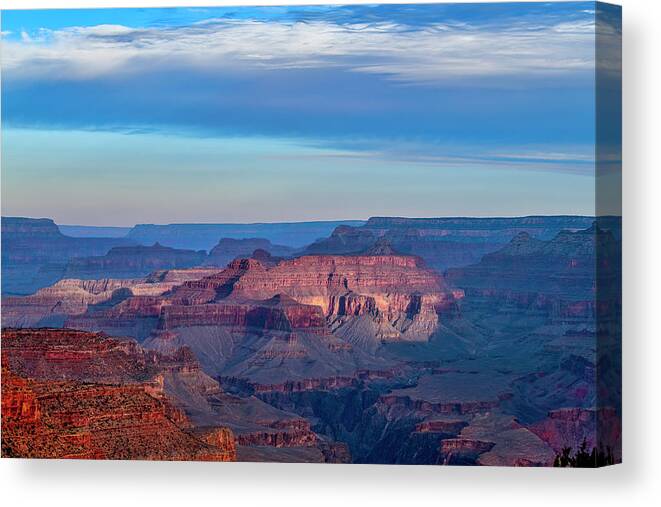
    Soft light over the Canyon from Sunrise

    When we reached the South Kaibab trailhead, the morning sun just broke from the cloud and hit the Canyon Edges. You can order a print Here

    A mile down the trail a day hiker was coming up the trail. He took special interest in my camera gear and asked if I've photographed the goat. "I've not seen one yet" was my response. There, he pointed out the goat chewing the cud. 
    A Mountain Goat of The Grand Canyon

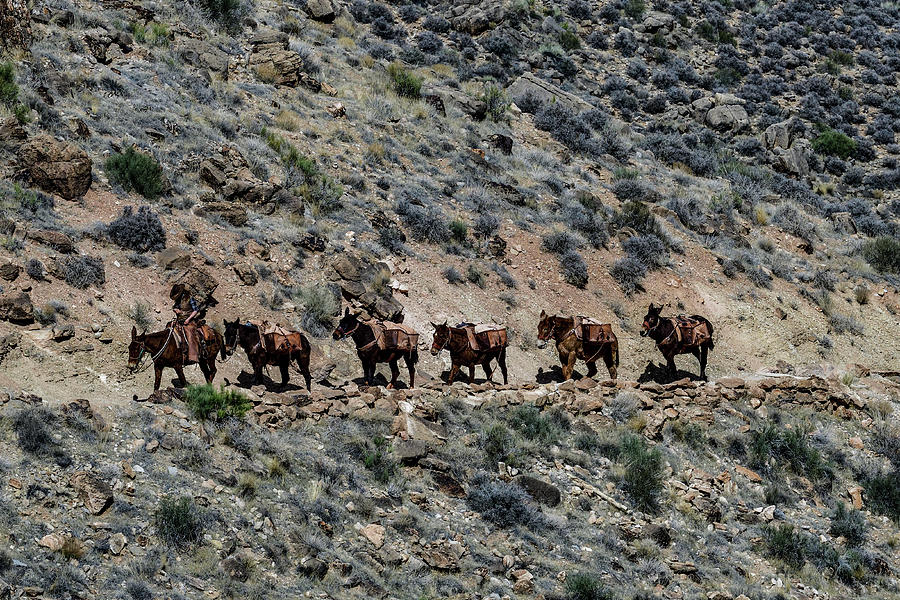
    About the halfway mark, the Mule Train came. You have to step aside towards the rocky side of the trail to let the Mules pass. So I took this shot from distance before giving them the right of way.

    The Grand Canyon Mule Train


    After 3 hours of hiking down on the trail the Black Bridge finally came into  view. It was magnificent especially with the rafting boats docked on the beach.

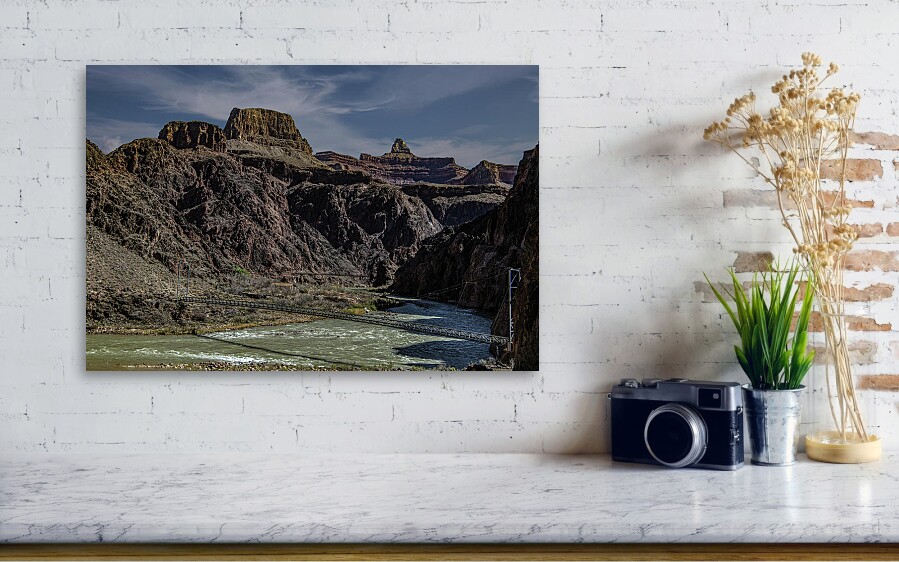
    The Black Bridge over the Colorado River 

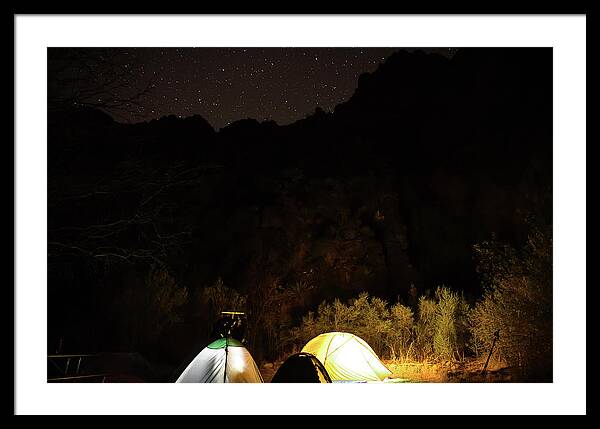
    We setup our camp in Bright Angel Campground, it looks amazing at night.

    Bright Angel Campground at Night


    Day Three: Phantom Ranch


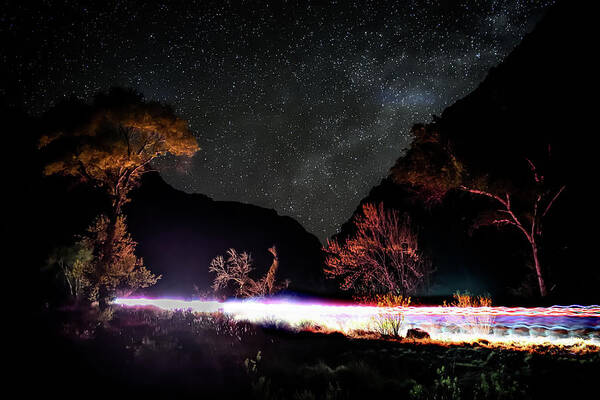
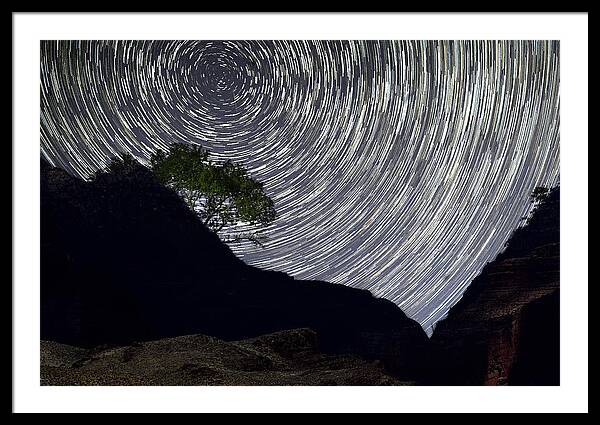
    I woke up around 4am and saw the starry sky. I realized that it was my best chance to shoot a star trail shot. It took me a short walk to find a spot from where I could see the Polaris aka the North Star. About 10 minutes into the shot, a group of early morning hikers came from the north and walked across my frame. I was sure the star trail were ruined but here is the 30 secs frame showing the hikers trail.

    Night Hikers from Cottonwood Campground returning to South Rim

    You can order an art print from this shot from Here

    I had to restart my shot. I eventually had around 45 minutes of start trails before it was dawn.

    Star Trail shot near Phantom Ranch


    Once I was done with star trail shot, I returned to my tent and decided to take the day easy.  We started late after breakfast and hiked few miles on North Kaibab before returning to take the Clear Creek Trail to see the river from the top and the sprawling South Kaibab descending to the river.

    South Kaibab Trail Descending to the River

    You can order a print of this Here. I did plan to attempt another star trail shot in the night but the cloud queen was laughing at me. The night was colder and the storm was waiting for us for the next night.


    Day Four:  Bright Angel Campground to Bright Angel Trail

    It was a lazy start in the morning to break the tent and pack out toward Indian Garden. I spent some time to find the perfect spot to photograph the bridge. Eventually, I stopped when I was able to put both the bridges in the frame. As I fixed my tripod and got ready for the shot, a group of rafting boats drifted into the frame. I couldn't have asked for more and immediately captured this shot.

    The Twin Bridges over Colorado - Connects N. Kaibab to S. Kaibab & Bright Angel Trail

    The Bright Angel Trail is much easier than the South Kaibab until you hit the Devils Corkscrew which keeps climbing in multiple switchbacks. There is a waterfall on the Garden Creek but it's not easily seen by the hikers.
    Devils Corkscrew and Garden Creek Waterslide
    You can order a print for this shot Here

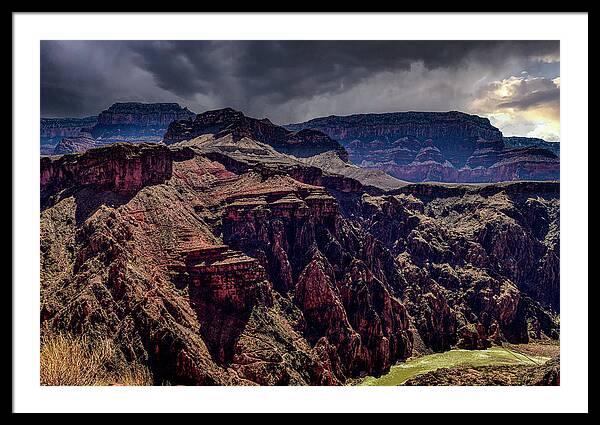
    When we reached Indian Garden campsite, we already knew that a snowstorm was coming at night over the south rim, but down there at campsite, it was safe to stay. Any photographer would consider storm an impending storm is an opportunity to photograph something spectacular. I did not wanted to miss sunset view from Plateau Point.

    Storm Cloud and Canyon Edges illuminated by Sunset Light

    You can order a print for this Here

    The rain started probably around 8pm. We could hear high wind flowing over the trees but our tents were safe. The Indian Garden campsite is almost inside a fortress due to canyon walls covering 3 sides and the trees.  You could hear the storm but you won't feel it.

    Day Five: Around Indian Garden Campground


    We did not see the sun on the next day. The spent the morning mostly in tent or in the picnic table under the shed. The storm started clearing in the afternoon.  It was time to photograph some clearing storm over the canyon.

    A Raptor Flying Over The Canyon

    When I spotted the bird going into the storm cloud, I was hoping it is the famous California Condor but once I looked through my lens for a clear view, it turn out to be a Kite.

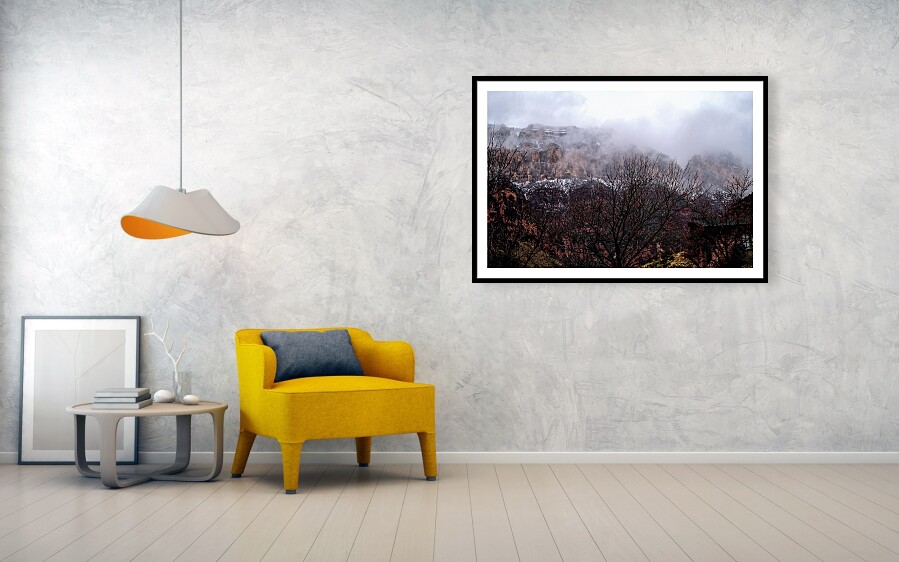
    Snow over south rim - shot from Indian Garden Campsite

    As I turned toward South Rim, we could see the snow deposited by the storm. That gave us the clue that the next morning it would not a a normal hike to return to the top. I was beginning to debate with myself, if I should pack my camera in the backpack to negotiate the icy trail.

     Before returning to the tent I had a sort interaction with these two permanent residence of  The Grand Canyon's Indian Garden.
    Grand Canyon Mule Deer

    The Rock Squirrel of Grand Canyon

    Day Six: The Hiking Out

    The next morning was bright and sunny. We started hiking out around 9am. The late start was in the hope some icy spot on the trail would be cleared by the time we would reach there. But that was unrealistic as the top portion of the trail does not get sunlight until late afternoon. This was one the last shot I took at 3 miles Resthouse before I decided it was for my safety to put away the DSLR inside the backpack. 

    The Three Miles Resthouse on Bright Angel Trail

    Then it was all about negotiating an icy trail with hiking sticks. We reached the top around 1pm. My shoulders were thanking me as soon as I put the backpack down.

    How to remove dirty sensor spot from your photo - Nikon Only


    Imagine you just returned from a vacation of a lifetime and your camera's memory card is full of memories :) I mean wonderful photographs you had taken during the entire vacation. You just can't wait to see how those photos would look on the big screen. So the first thing you would do after reaching home would be transferring those photos to your computer and opened them in the viewer. And your excitement just disappeared, something was not looking right! There were dark spots in few places in those photos. You checked the next photo, and the next one after that, and the last one of the lot. They all have the same problem. Those spots came from your image sensor. It was dirty before you went for vacation and somehow you forgot to clean it. Maybe you did not know it was dirty. But what could you do now? Removing those spot using photo editing software would be a daunting task. You may not even have those software license or the skills!! 

    Fortunately, Nikon has a feature in their camera called 'Dust off Reference Photo'.  Along with their free Capture NX-D software, you can batch process all of your photos at once and all of those spots would magically disappear from your photos. I'm going to walk you through step by step on how to achieve this.


    Before you read further, I must tell you that this process works only with RAW photos i.e. files names with .NEF extension.

    Taking the Image Dust Off ref photo:

    1. First press the 'Menu' button in your Nikon DSLR
    2. Scroll down to 'Setting'
    3. Enter the setting menu and scroll down to 'Image Dust Off ref photo

    4.  You need to choose the first option, i.e. 'Start'  if you are going to need to clean up images taken before you perform this activity. Here is what Nikon says. "Dust off reference data recorded before image sensor cleaning is performed cannot be used with photographs taken after image sensor cleaning is performed. Select Clean sensor and then start only if the dust off reference data will not be used with existing photographs."
    5. Once you press 'Ok' for any of those option, the camera will pop you the following message. 

    6. Read carefully, it says "BRIGHT featureless WHITE Object". This is where most people get it wrong.  I use a A4 / Letter size printer paper for this. Now for the 'Bright' part, make sure the light is good enough. It is better if done in outdoor, however you can use a well lit room as well. If the light is not enough, the camera will display the following error.
      If you get such error, it simply means the light is not bright enough. Though Nikon says all setting is automatic, here are few things you also need to consider.
      1. The focal length of the lens should be 50mm or more
      2. Put it in aperture priority and use the highest f number available in your lens e.g. f22 or f32
      3. Distance from the lens to the white object should be 10cm or less
      4. If the lens is manual  focus, set the focus to infinity
    7. Once the camera is successful in taking the ref photo it would look something like this. 

    8. Now take another photo of any object in regular exposure. Nikon would not tell you about this but trust me, you will need this extra photo. I prefer taking a shot of blue sky. All sensor darts are easy to identify in blue sky shot without cloud.
    9. Now transfer these two photos ( dust off ref photo and the regular photo you just shot) into the same directory where you have all those images with dirty spots.
    10. Open the folder in Nikon Capture NX-D software and click on any of the photo you want to fix.
    11. Go to Camera and Lens Corrections on the left panel and click on the 'Change' button you see just below 'Dust off ref photo was taken at:' 

    12. You would get an error messages like this below. 

    13. You know that you just copied the dust off ref photos in that directory. So why Capture NX-D can't find it? This is where everyone gets it wrong. Your dust off ref photo must have a timestamp close to the photo you want to fix. It can't apply to a photo taken few days before the dust off ref photo was taken. This is also logical as actual dust on ref photo must match with the one we are fixing. So what can you do if the Capture NX-D can't find the ref photo. I would suggest a workaround that is super easy to use.
    14. We will use the photo you have taken just after you took the dust off ref photo. Click on that photo and repeat step 11 above. Now Capture NX-D will happily apply the ref photo and remove it's dust. If that was a blue sky shot, you can enlarge and verify all darts are gone.
    15. Now go to Adjust tab and click on 'Copy All Adjustment. Once done, select one of  the actual image you want to fix and come back to Adjust(A) tab and click 'Paste Adjustment'.  That's it, your image would now be spot free.


    Now you can do a batch processing by selecting all the remaining images at once and then click on 'Paste Adjustment' as you just did for one of the image.  You now got your holiday images spot free, time to share them with family and friends. 

    Few points to note:

    1. If you want to use this feature, do not perform a 'Clean Image Sensor' operation before you take the dust off reference photo. The ref photo must be taken in the same condition of your camera image sensor when you shot those photos that are showing dark spot on sensor. Obviously, cleaning would remove some dart from the sensor.
    2. If your camera has setting 'Clean image sensor during shutdown / startup', you may want to disable that setting. Any DOF taken after sensor cleaning operation will not be able to clean the photo properly. I have it disabled and perform that operation only once in a week or month depending on the frequency of my photo shoot. This in-built image sensor cleaning function can't remove stubborn darts, it is only useful for removing loose darts mainly accumulated due to static electricity. 

    3. Always shoot RAW and latter convert them into jpeg. If you really need immediate jpeg then shoot RAW + jpeg. Most of the edit features only work on NEF files.
     
    All the best with your future images. If this blog was useful to you, please subscribe for future tips or leave me a comment.

    Related Blog Post: How To Clean DSLR Image Sensor


    How to Photograph the Elusive Milky way

    You have seen many spectacular photos of night sky and milky way. Have you ever wonder how those photographs were shot? No, those are not  digital art made in image editing software. Those were shot in camera where some special techniques are involved. I'm going to give you all the tips you need to produce such image. But you would need to practice a lot before you can master them. I will first list the gadgets you would need, followed by the soft skills you need to master.

    The Gadgets:
    • A Sturdy Tripod
    • A Camera with capabilities to shoot for 15-30 secs exposure at  ISO  1500-4000.
    • An Wide Angle Lens ( focal length 24 mm or lower) with wider aperture (f/2.8 or lower) 
    • Remote shutter release or cable release - recommended but not mandatory
    • A flash light - maybe a powerful one
    The Time Table:

    If you live in rural area where the light pollution is minimum, you may have noticed the milky way is not visible throughout the year. You can only see it at certain time in the sky. Besides the moon also interfere  a lot with milky way visibility.  So you need the visibility time table handy to photograph the milky way. If you can't see it in the sky, your camera can't see it either.

    Here is the approximate time table for your reference:

     MonthBest Time Moon's Phase
     JanuaryNot visible N/A
     FebruaryNot Visible N/A
     MarchVisible just before sunrise but not good for photography N/A    
     AprilAbout 4 am to Sunrise New moon to 1 QTR
     MayFrom 3 am to 6 am New moon to 1 QTR
     JuneFrom 10 pm to 3 am New moon
     JulyRight after Dark to midnight 3 qtr to new moon
     AugustRight after Dark to 11 pm  3 qtr to new moon
     SeptemberRight after Dark to 10 pm  3 qtr to new moon
     October Visible just for a while after sunset for not good for photography 3 qtr to new moon
     November Not Visible N/A
     December Not visible N/A

    Dark Site:
    The cities and it's neighborhoods are too bright to see milky way, let alone photographing it. You would need to drive off to a less light polluted areas where you can see the night sky clearly. An examples of such place would be mountain tops, remote beaches, or national parks etc. Here is a link to Dark Site Finder that you can use to locate nearest dark area to you.

    The Foreground:
    A milky way shot need to be nicely composed with some interesting object in the foreground of the frame. Just the sky with full of stars would not be as interesting as one with some different object in the foreground of the frame. Be it something like a stone, a road, a tree, a house or some people. Use your creative mind to decide on your foreground object. As you practice with different types of foreground, you would find the right balance soon.

    The STAR Trail Problem:
    One of the main problem in night sky photography, especially for milky way is the star trail. If you keep your shutter opened for too long you would get star trail in your photo. This is because the Earth is rotating and it's relative position with respect to those stars changes in time. 
    One way to get ride of the star trail is to use a computerized tripod that can be programmed to compensate Earth's rotation, thus keeping the stars in the same sport in your image sensor. However, such tripods are expensive and mostly used in astrophotography. It would be an overkill to go for such tripod just to shoot milky way. You just need a regular tripod that can hold your camera lens combination steady.
    To avoid star trail, your need to choose the right shutter speed based to the focal length of your lens. There are complex rules that includes aperture too but I would keep it simple.  This is known as 500 rules where you divide 500 by the effective focal length of your lens. The number you would get would be the maximum shutter speed you could use. 
    Please note, I said "Effective Focal Length"  and you need to pay attention here. The focal length you see in your lens is for the full frame cameras. The effective focal length for crop sensor cameras is 1.5 times of actual focal length. Here are 2 examples of maximum shutter speed calculation. However, below 15 secs is not recommended as the stars would not be bright enough in the frame.
    • Nikon D850 Full Frame Camera
      • Lens 20mm f/1.8
      • Maximum Shutter Speed: (500/20 ) = 25 secs
    • Nikon D500 Crop Sensor Camera
      • Lens 20mm f/1.8
      • Maximum Shutter Speed: (500/(20*1.5)) = 17 secs
    There are many Night Sky photography gadgets that can compensate earth's rotation when properly calibrated with Polaris ( or Sigma Octantis in south pole). These gadgets e.g. 'Star Adventure pro or SkyGuider Pro' are not really required for milky way photography, rather useful for deep sky photography that would need much longer exposure beyond 30 secs. However, you can still use them to create HDR, panoramas etc.
    ISO Number:
    Every camera is unique in handling high ISO noise. This is something you need to experiment with your camera before you get to the right number. I would start with ISO 1600 and increase it if the stars are not bright enough. Increase the ISO or shutter speed or both till you get a right balance between star trail and noise.

    OTHER Setting:
    The first thing you should do in your camera is to turn off  'Long Exposure Noise Reduction'. If you don't, your camera will spend time in NR job between each exposure, equivalent to your exposure time. You don't need this in-camera noise reduction for long exposure shot. The rest of the settings like ISO, manual focus, and shutter speed have already been discussed.

    The Shoot:
    Ready to start shooting! You are almost there. Here are the list of things to check before you press the shutter release button.
    • While it is still daylight, focus your lens to infinity or to a far away object and then turn the focus selector button in manual focus mode. Turn the camera focusing and exposure also into manual mode. Most modern lens focus ring rotates beyond infinity. So you can't just rotate the focus ring all the way and assume your focus is right. You would end up getting blurred images. Also please check before you shoot that your manual focus position is not disturbed since you fixed it last time.
    • Choose your foreground object and mount your camera on the tripod. Keep the frame in balance between foreground and the night sky. Usually a rule of 3rd may be handy. However, photography is an art, no rules are written in stone.
    • Choose the shutter speed and then use the remote or cable release to open the shutter or just press the shutter release button.
    • Your foreground may not have enough light. So use the flash light to light paint your foreground. This is where a lot of practice could make it perfect.
    • At the end of each shot, check the image in your camera LCD. If you are not satisfied, adjust the exposure and try again.
    • Good Luck 
    Here are few example shots I took. 

    Milky Way Over Bixby Bridge, Big Sur, California  
    Milky Way Over Bixby Bridge, CA-1, California
    This shot was taken in Nikon D850, Nikon AFS 14-24 mm f/2.8 at 14mm f/2.8 and ISO 3200, exposure duration 25 secs. The foreground was illuminated by the headlights of few passing vehicles. I had several images that were washed out duo to the bright headlights of the approaching cars. This is the only one where no cars was approaching from the other side.

    Milky Way - Davenport Beach, California
    Milky Way - Davenport Beach, California
    This shot was taken in Nikon D850, Nikon AFS 24-70mm f/2.8 at 24 mm f/2.8 and ISO 3200, exposure duration 20 secs.This was shot in Davenport Beach, California. Here I did the light painting on both the stones.

    More Night Sky photos are available in my Fine Art America Portfolio.
    If you find this tips useful, please leave some positive comments and share with others. You may subscribe to this blog for future tips on 'how to photograph'.

    You can order prints for these shots from Fine Art America.
    You can license a Digital Copy for your business or personal use from Alamy

    Contact ME

    Name

    Email *

    Message *